
Want to see new lead replies from Grinfi directly in Telegram?
You can easily set this up using Make.com (Integromat), webhooks, and a Telegram bot.
Step 1: Create a Telegram Bot
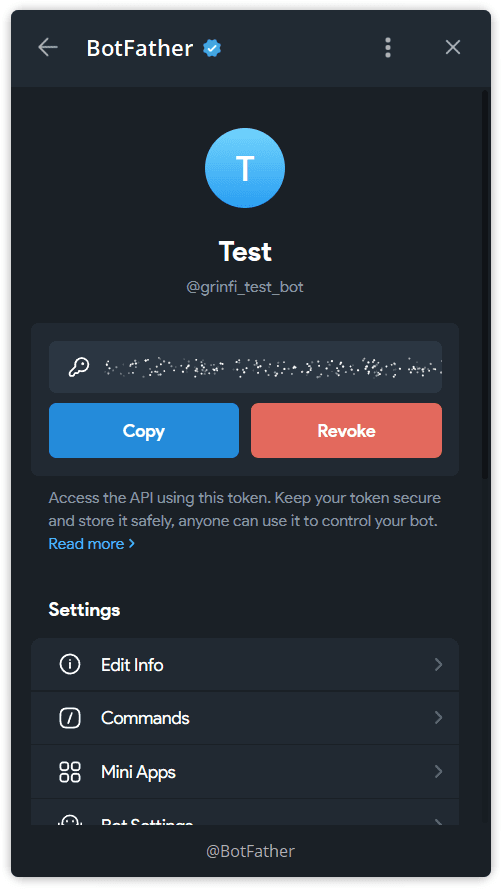
- Open @BotFather in Telegram
- Create a new bot – you’ll get a token
- Create a private Telegram group
- Add your bot to the group as an admin (important)
- Write any message to this group
- Invite everyone who needs to receive notifications
Step 2: Set Up a Webhook in Make.com
- Log in to Make.com and click Create a scenario
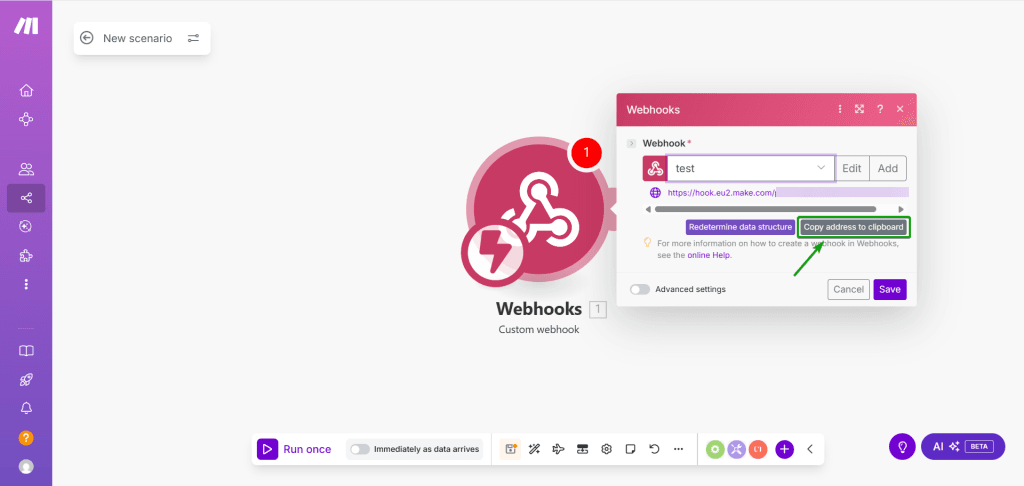
- Add the module: Webhooks → Custom webhook
- Create a new webhook and name it however you like
- Copy the URL of the generated webhook
Step 3: Add the Webhook to Grinfi
- Log in to your Grinfi account
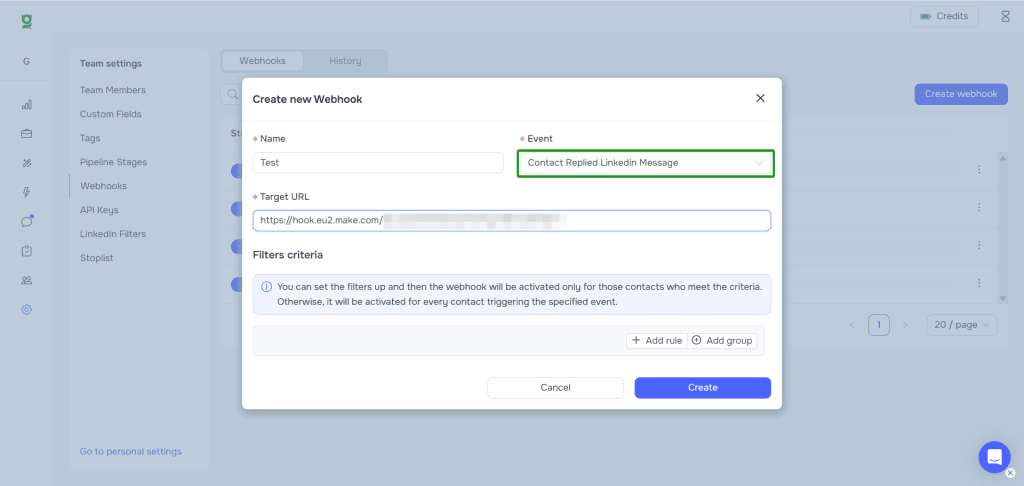
- Go to the Settings → Webhooks section
- Click Create Webhook:
- Name it however you like
- Paste the webhook URL from Make
- Save it and run a test to ensure Make receives the data
Step 4: Send the Message to Telegram
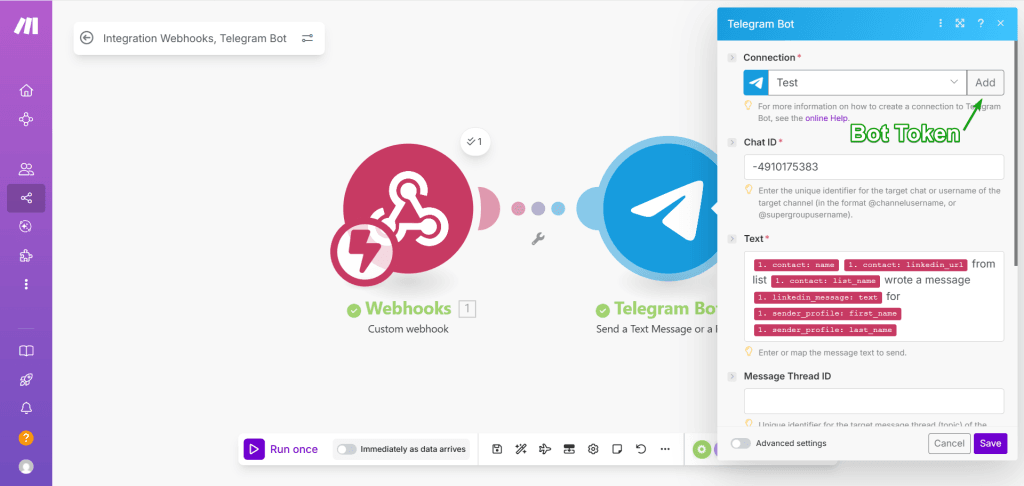
- Add another module in Make: Telegram Bot → Send a text message or a reply
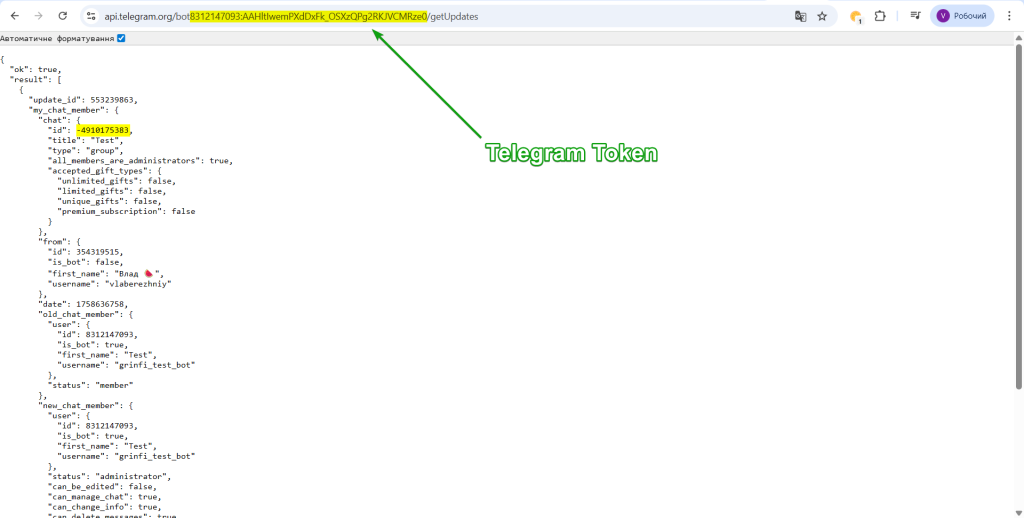
- Click Add in the Connection field and paste your bot’s token
- To get your group’s
chat_id, use this link:https://api.telegram.org/bot<YOUR_BOT_TOKEN>/getUpdates - Paste the
chat_idand set your message content
You can use dynamic fields from Grinfi, for example:
{{1.contact.name}} {{1.contact.linkedin_url}} from list {{1.contact.list_name}} sent message {{1.linkedin_message.text}} for {{1.sender_profile.first_name}} {{1.sender_profile.last_name}}
- Save the module
Step 5: Test and Activate
- Click Run once in Make
- Send a test message in Grinfi
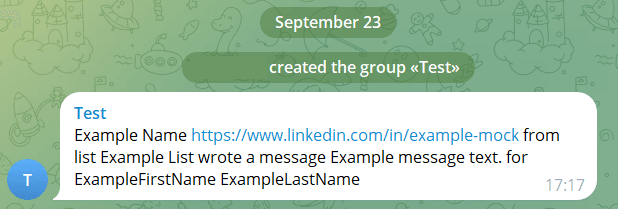
- If everything is set up correctly – the message will appear in your Telegram group
- Activate the scenario with “When data arrives” trigger
Result:
Now, every new reply from a lead in Grinfi will instantly appear in your Telegram group.
Perfect for anyone who doesn’t want to miss warm leads.