
Grinfi LinkedIn Extension
Extract LinkedIn profiles and add them directly to your Grinfi lists.
DownloadLinkedIn Integration
Automatically detects when you're viewing LinkedIn profiles and extracts key information like name, company, and position.
List Management
View all your Grinfi lists directly in the extension popup and choose exactly where to add new leads.
Secure API
Securely connects to your Grinfi account using your personal API key. All data is transmitted safely over HTTPS.
One-Click Adding
Add LinkedIn profiles to your Grinfi lists with just one click. No more manual data entry or copy-pasting.
Grinfi LinkedIn ExtensionDownload
How It Works
Once installed, the extension will:
Detect when you're on a LinkedIn profile page
Show a small indicator that the extension is active
Extract profile information automatically
Let you choose which Grinfi list to add the lead to
Handle the API call to add the lead with all extracted data
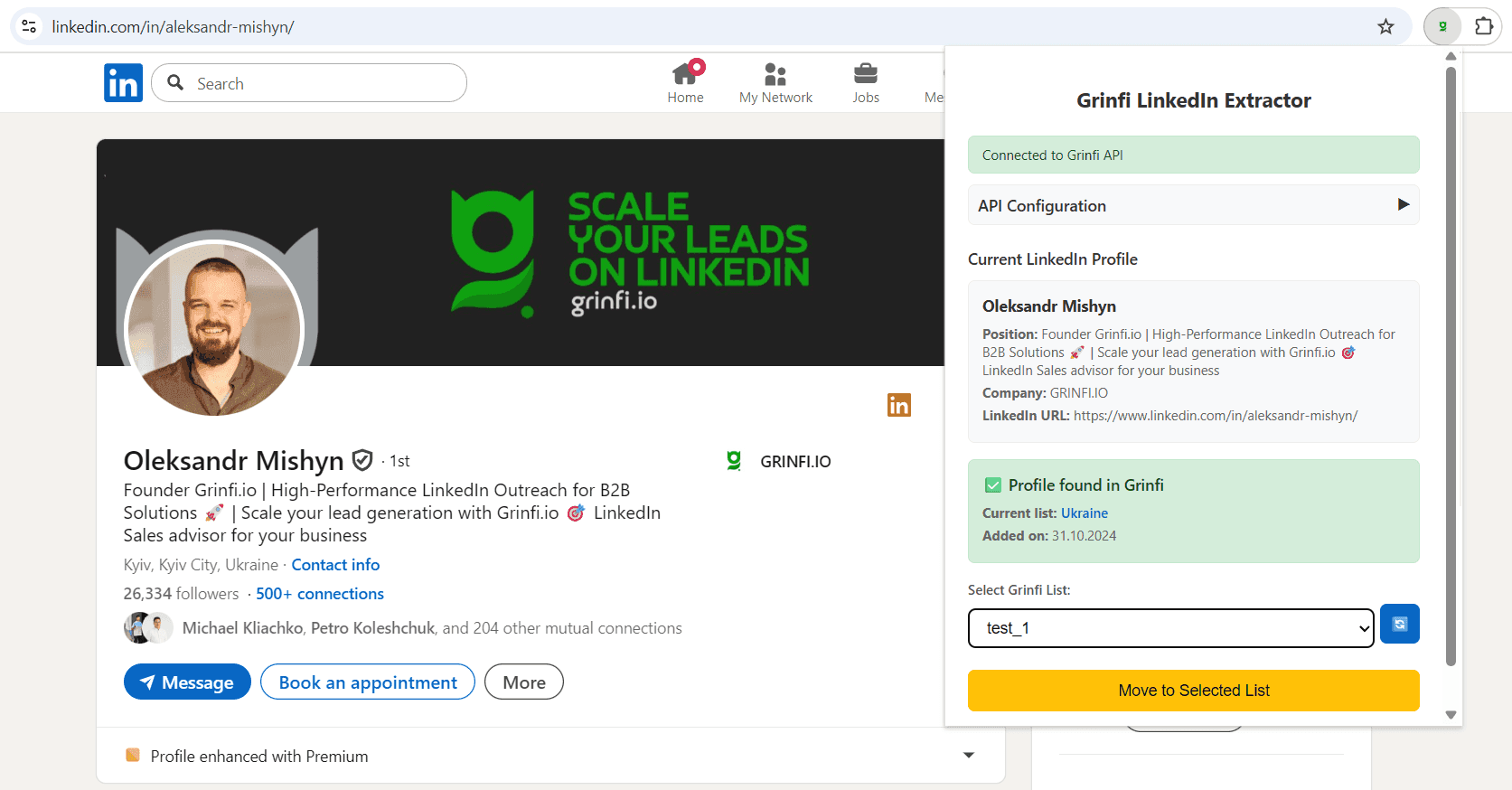
Install & Test
Install the extension, click the extension icon, and test the connection
Use on LinkedIn
Visit any LinkedIn profile page and click the extension icon to add the profile to your lists!