


How to Integrate Grinfi with Clay: Two-Way Data Exchange in 6 Steps
Clay and Grinfi are two powerful automation tools for sales teams. They perfectly complement each other: Clay for data enrichment and customization, Grinfi for smart outreach and funnel management.
While we’re waiting for the official integration with Clay, you can already set up a fully automated two-way lead exchange – here’s how to do it.
Sending Leads from Grinfi to Clay for Enrichment
Step 1. Create a Webhook in Clay
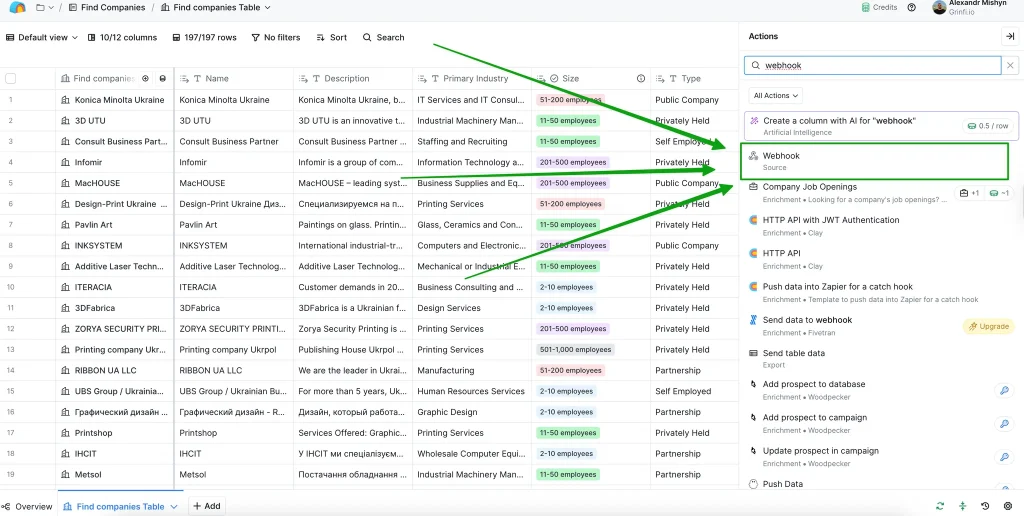
In your Clay workspace, open the table where you want to receive leads, and create a new webhook through the Actions → Webhook.
You will receive a unique URL – this will be used in Grinfi.
Step 2. Create a Webhook in Grinfi
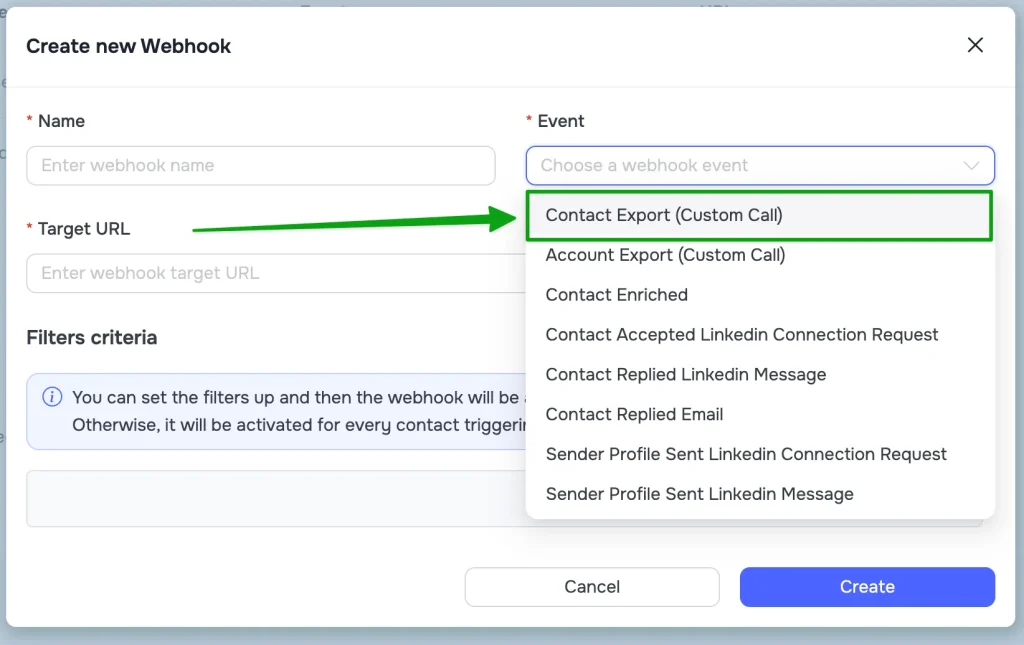
Go to Grinfi Webhooks and click “Create Webhook”. Paste the URL you got from Clay.
Select a trigger – for example, Contact Export (Custom Call), which is the standard export webhook.
Step 3. Start Sending
You can:
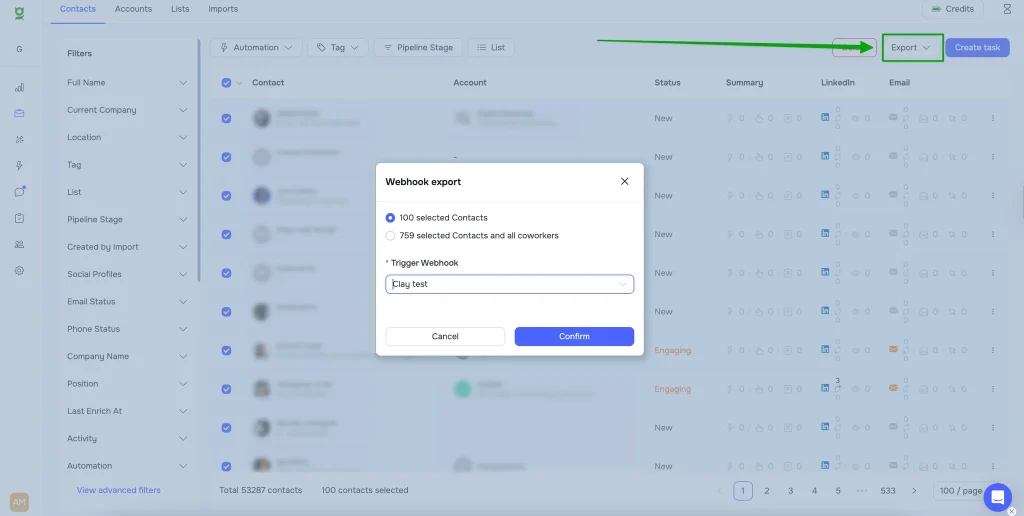
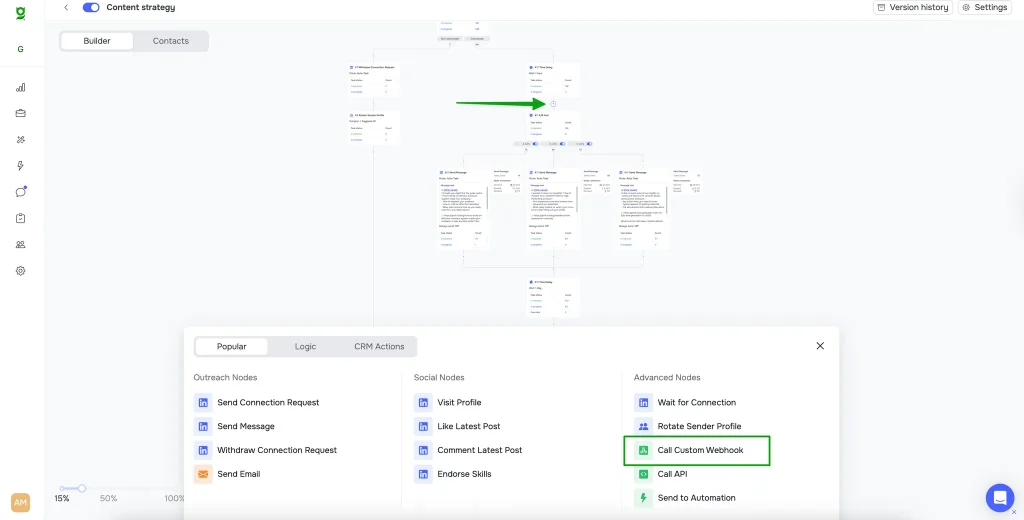
- send manually from CRM using the “Export” button
- or set up automatic sending in an automation workflow
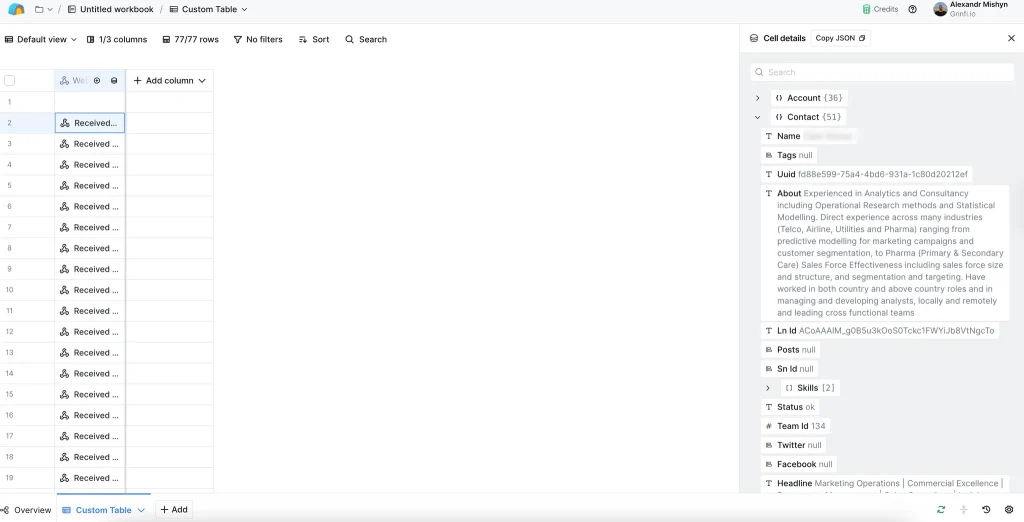
In Clay, the lead will land in the selected table – and you’ll be able to launch enrichment: social profiles, email lookup, company data, name adjustments, and more.
Sending Enriched Data Back from Clay to Grinfi
Step 4. Create Custom Fields in Grinfi (Optional)
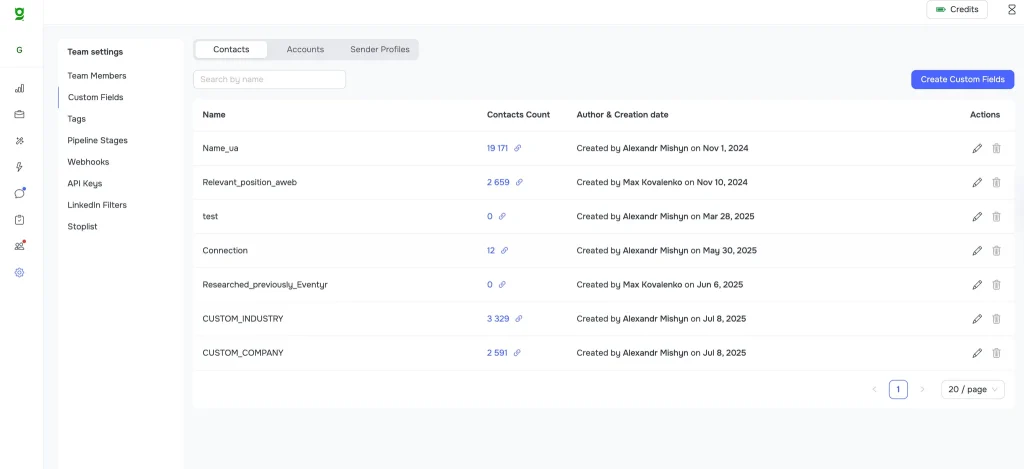
If you added new fields in Clay (for example, a custom message or extra company info), create corresponding fields in Grinfi here: Grinfi Custom Fields
If you only updated standard fields (name, company, industry) – no additional steps are required.
Step 5. Create an API Key in Grinfi
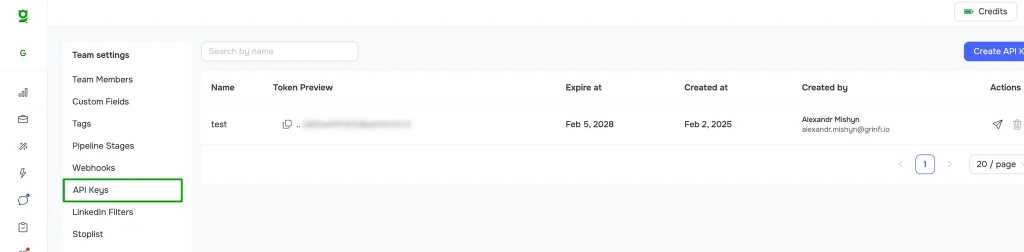
On the Grinfi platform, go to Grinfi API Keys and create a new key for Clay.
Step 6. Configure a POST Request in Clay
In Clay:
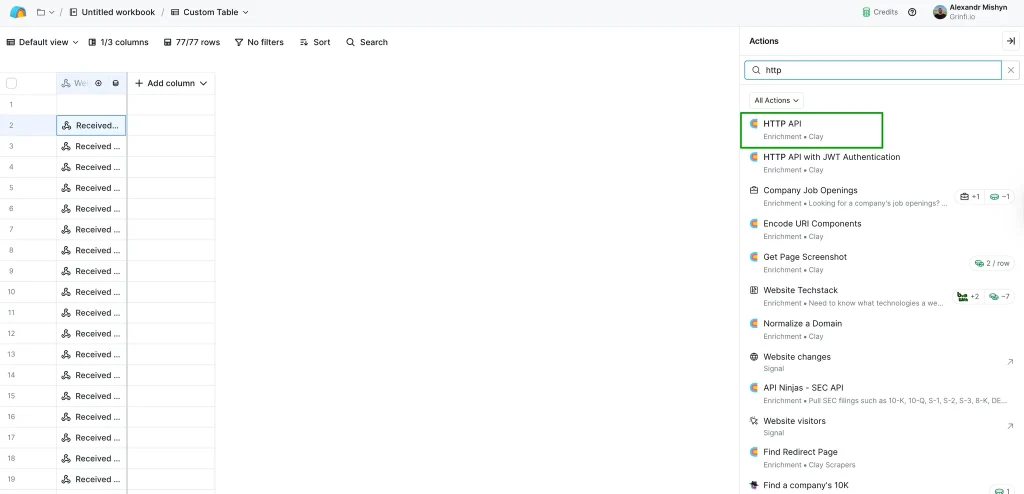
- Open the HTTP API section
- Create HTTP API (Headers) account
Key: Authorization
Value: Bearer {Your Grinfi API Key}- Create a new action with the
POSTmethod - Endpoint:
https://leadgen.grinfi.io/leads/api/leads/upsert - The request body should look like this:
{
  "list_uuid": "YOUR LIST UUID",
  "lead": {
    "linkedin_id": "LinkedIn Profile",
    "first_name": "First Name",
    "last_name": "Last Name",
    "headline": "",
    "position": "Job Title",
    "company_name": "",
    "domain": "Company Domain",
    "email": "",
    "raw_address": ""
  },
  "custom_fields": {},
  "update_if_exists": true,
  "move_to_list": false
}
⚠️ IMPORTANT! The variables here are not just text. You need to select the correct variable by starting to type “/”
📘 Learn more: Grinfi API Docs
Result
You now have a working two-way integration:
- Grinfi → Clay: for enrichment and customization
- Clay → Grinfi: for updating leads before outreach
This gives you full control over data quality and communication accuracy in every outreach cycle.
Need Help?
Contact Grinfi support and we’ll help you set up the integration according to your specific workflow so it runs smoothly.
